
アイコンを良く使用するのですが、画像で製作するとなんか面倒くさい。
アイコンのWEBフォントはGoogle FontのICOやfontawesomeなど色々あるのですが、
私としてはfontawesomeが使いやすいです。
(慣れもあるのかなぁ)
利用方法は、
1.fontawesomeを<head>~</head>の間で読み込み
<head>
<meta charset="utf-8">
<meta http-equiv="content-language" content="ja">
<title>○○○○</title>
//fontawesomeの読み込み(バージョンによって違うので確認してください)
<link href="https://use.fontawesome.com/releases/v6.0.0/css/all.css" rel="stylesheet">
</head>
2.設置したい場所にfontawesomeを挿入。
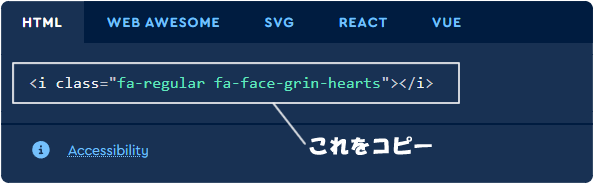
fontawesomeのサイトで検索して表示されたタグをコピー&ペースト。
コピーの方法は、黒い枠の中でクリックするとコピーされます。
.login
::before { font: var(–fa-font-solid); content: “\f007”; }